Browser-based 3D Engine

Build 3D Worlds
Right in Your Browser

A powerful scene editor with real-time preview, material editing, AR/VR support, and cloud saves. No downloads, no installs — just create.
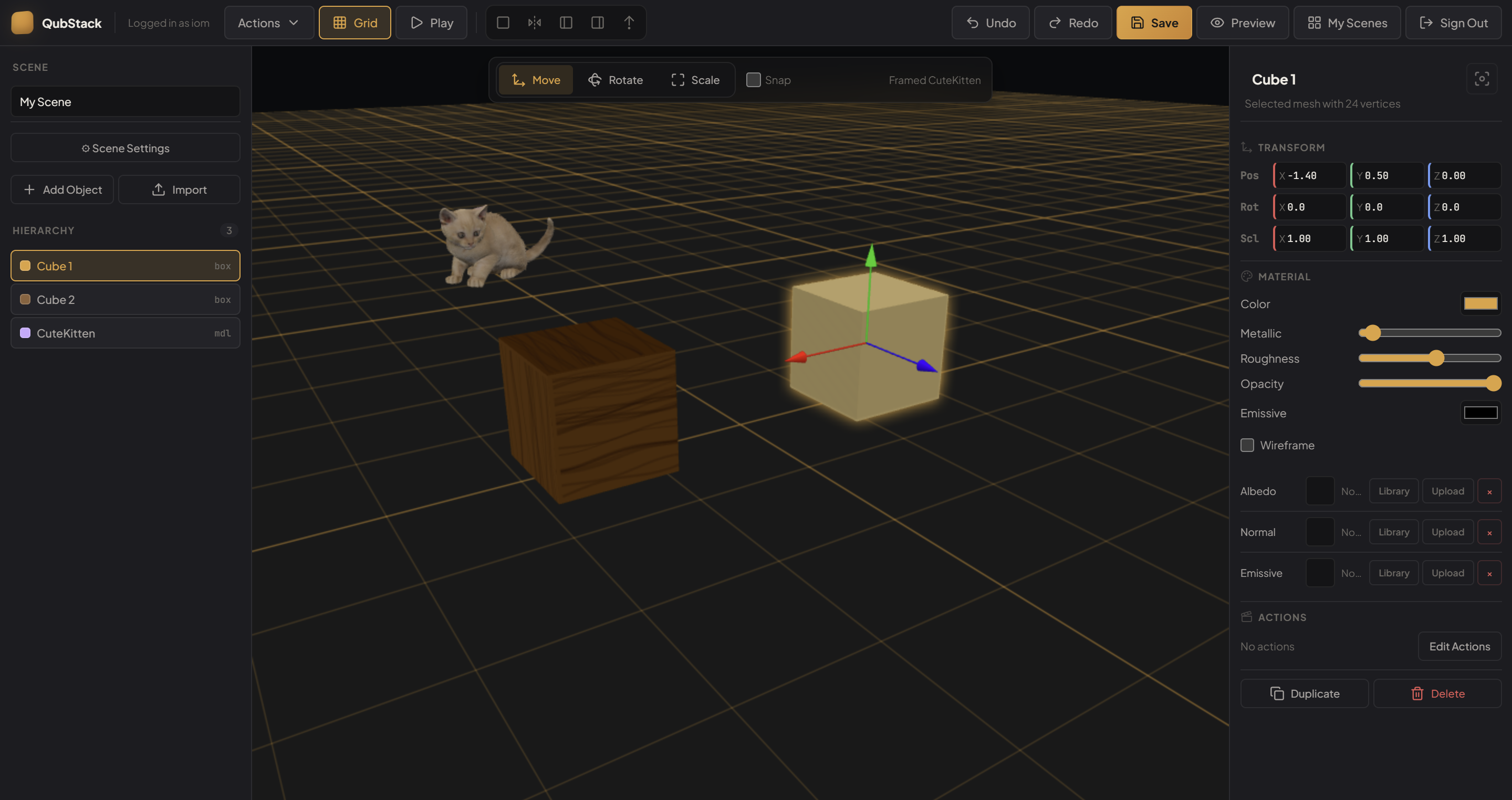
QubStack 3D Editor showing scene with objects, materials, and transform controls

Everything You Need to Create

Professional-grade tools, zero friction setup

3D Scene Editor

Place, rotate, and scale objects with precision. Full transform gizmos, grid snapping, and multi-select grouping.

PBR Materials

Metallic, roughness, opacity, emissive maps, and texture libraries. Make your scenes look photorealistic.

Cloud Saves

Your scenes are stored securely in the cloud. Sign in on any device, pick up right where you left off.

AR / VR Preview

Preview your scenes in augmented or virtual reality directly from the browser. WebXR powered, instant access.

Scene Actions

Animate objects with move, rotate, and scale actions. Set up loops, sequences, and interactive behaviors.

Share & Collaborate

Generate shareable preview links. Anyone can view your 3D scenes in their browser — no account needed.

Mobile-First

Full Editor on Your Phone

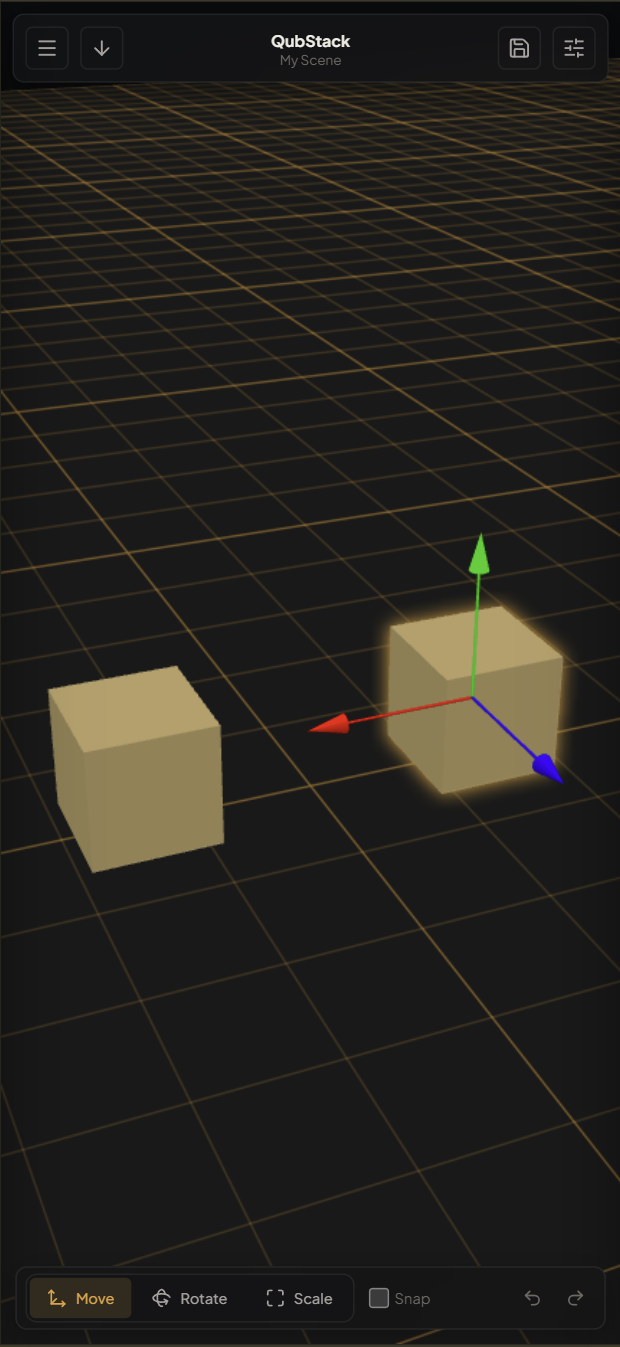
QubStack is built with excellent mobile support. The full 3D editor, including object manipulation, scene management, and transform controls, works seamlessly on phones and tablets. Touch-optimized gizmos, swipeable panels, and a responsive layout that adapts to any screen size.

Touch Gizmos Responsive Panels Swipe Navigation
QubStack mobile editor with touch controls and responsive layout

Immersive AR & VR Preview

Step inside your scenes. QubStack uses WebXR to let you preview creations in augmented reality on your phone, or in full virtual reality with a headset.

Powered by WebXR — No app install
Immersive Preview

See Your Scenes in AR & VR

Point your phone camera at any surface and place your 3D scene right there in the real world. Or put on a VR headset and walk around your creation. Each scene can have AR and VR toggled independently from the editor's scene settings.

Augmented Reality Virtual Reality WebXR No App Needed
Scene Actions

Bring Objects to Life

Animate any object with a powerful action system. Add move, rotate, and scale keyframes to create smooth animations. Chain multiple actions in sequence, and enable looping for continuous motion. Perfect for interactive demos, presentations, and creative exploration.

Move Rotate Scale Looping Sequencing
1
Move X: 0 → 3, Y: 0 → 2
2
Rotate Y: 0° → 360°
3
Scale 1.0 → 1.5 → 1.0
Loop Enabled — Plays Continuously
10+
Primitive shapes & imports
Scenes you can create
0
Downloads required

Ready to Build Something?

Jump in and start creating your first 3D scene. It's free and takes seconds.

Launch QubStack